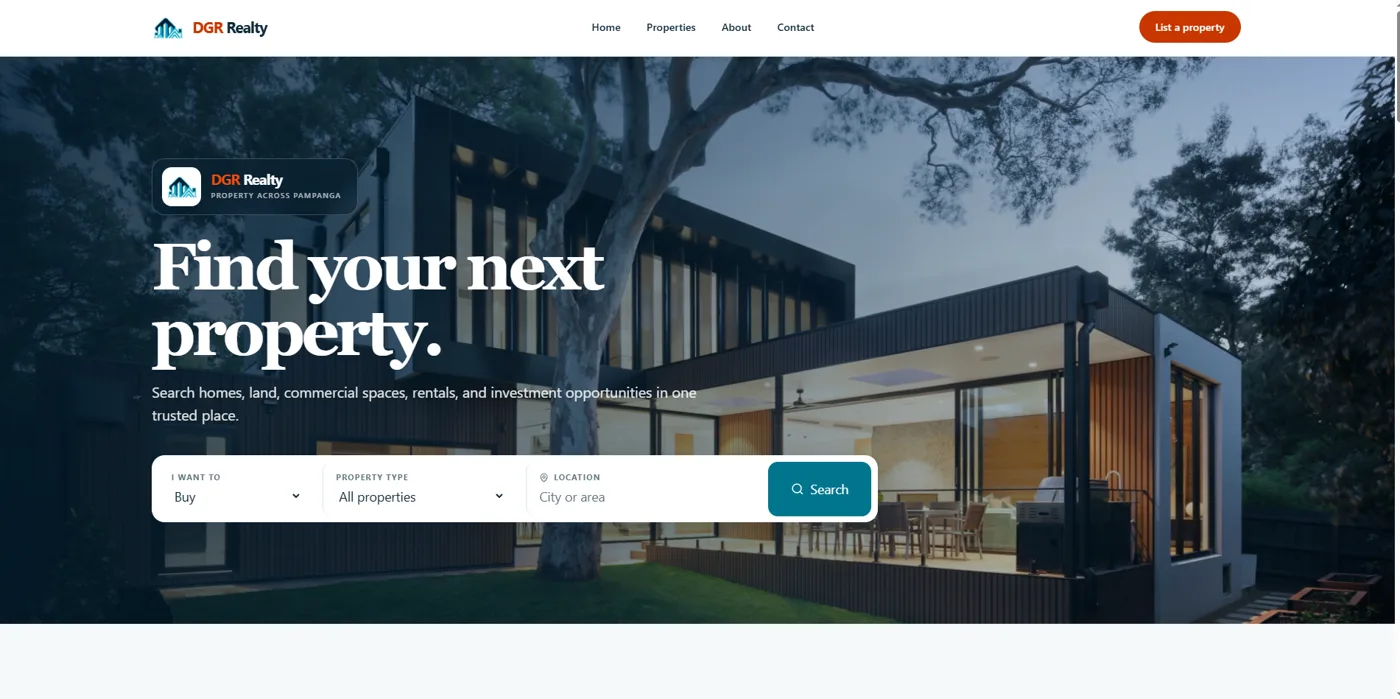
A property site for an independent real-estate brokerage in Pampanga. Visitors search listings and send inquiries. The broker manages listings, photos and leads from an admin dashboard, without needing a developer.
Property search with filters for type, location and listing intent
A page per listing with a photo gallery, map and structured data, so search engines can read it
A sitemap and robots.txt that list public pages and keep admin routes out
An inquiry form with privacy consent and spam protection
For the broker
Admin login with an authenticator app (MFA)
Listings as draft, published or archived, with quality checks before publishing
Photo uploads and reordering
An inquiry inbox with search and status tracking
Decisions that mattered
The database is the last line of defence
Every table has Postgres row-level security. Browser sessions can only read published data. Every write goes through a server route that checks the request came from the site itself, checks the user is an admin, and validates the body. The database's own admin check also requires a completed second factor, so even a stolen password can't change data by calling Supabase directly.
Drafts stay private, photos included
Hiding a draft listing in the UI isn't enough if its photos are still at a public URL. I moved images into private storage. Published photos are served through short-lived signed links, and photos for drafts or archived listings can't be read at all. A listing's map pin is only exposed when the broker turns the map on.
A save can't half-fail
Saving a listing touches the listing, its amenities, its photos and storage. If one part failed, you could end up with a listing pointing at a deleted photo. New uploads are staged first, all database changes commit in one transaction, and storage deletions go into a queue that can be retried.
Don't trust anything from the browser
Zod schemas reject unknown fields. Request bodies have a size limit. Uploads are checked by their actual file bytes, so a script renamed to .jpg is rejected. Rate limiting blocks requests if the rate-limit backend itself errors, instead of letting everything through. Database constraints back all of this up.
How it's tested
24 Playwright end-to-end tests run in a real browser. Most of them check the things that would hurt the client if they broke: someone getting into the admin side, a draft leaking, or a bad upload getting through.
Suite
Tests
What it checks
Admin auth
7
Logged-out redirects, every admin endpoint rejects anonymous callers, MFA enrolment and challenge
Security
7
Security headers, cross-site requests blocked, extra fields rejected, disguised files rejected, rate limits deny when the backend errors
Public pages
5
Search and filters, mobile navigation, 404 for unknown listings, drafts stay private
Listing quality
3
Incomplete or poorly photographed listings can't be published
SEO
2
robots.txt hides private routes; the sitemap lists the main pages
CI/CD
Every push and pull request to main runs lint, then a production build, then the full Playwright suite on GitHub Actions
After each successful Vercel deploy, a second workflow runs smoke tests against the live deployment URL
Tests that create, edit or delete data never run against the production database
Security scan
I ran an OWASP ZAP scan against the site and added the missing response headers: a Content Security Policy, X-Frame-Options: DENY, nosniff, a strict Referrer-Policy, a Permissions-Policy that turns off camera, microphone and location, and HSTS. A test checks these headers on every run, so they can't quietly disappear.